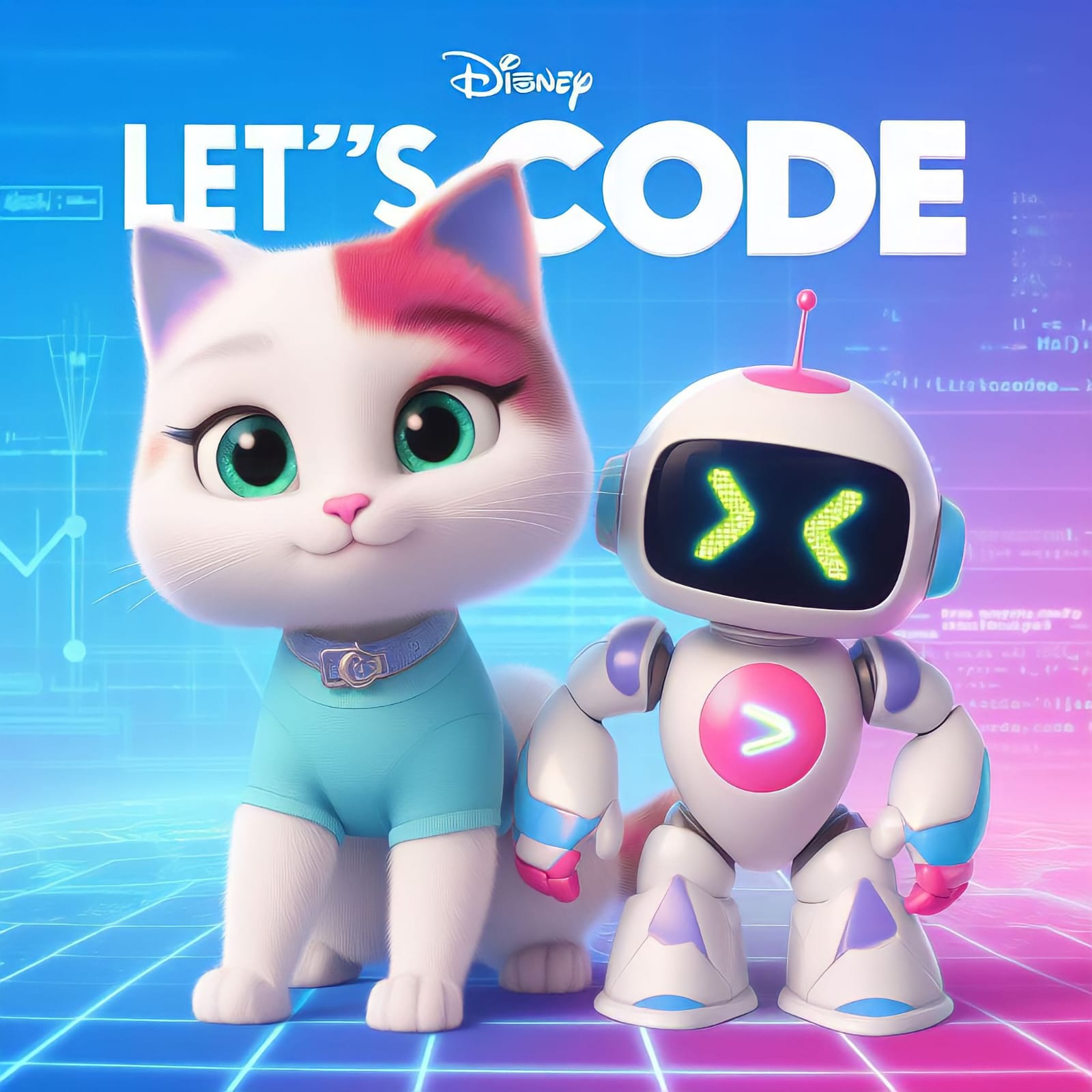
Hey, Koding Next team! Ever imagined having a poster of yourself or anything else in the whimsical Disney Pixar character style? Wonder no more! You can create one effortlessly with Bing Image Creator.
Did you know that Bing Image Creator, powered by the DALL-E image generator tool, has been around since March 2023? The latest version, DALL-E 3, is significantly more advanced, making Image Creator more capable and realistic. And the best part? It's free to use. However, there's a catch: when you get started, you're given a number of "boosts," which makes image processing work faster, but limits high-speed usage to a finite amount. One boost equals one image. So, when you run out, Image Creator will run slower. You can get more boosts by redeeming Microsoft Rewards, a loyalty program for using its products. This means that even when you run out of boosts, you're not out of luck.
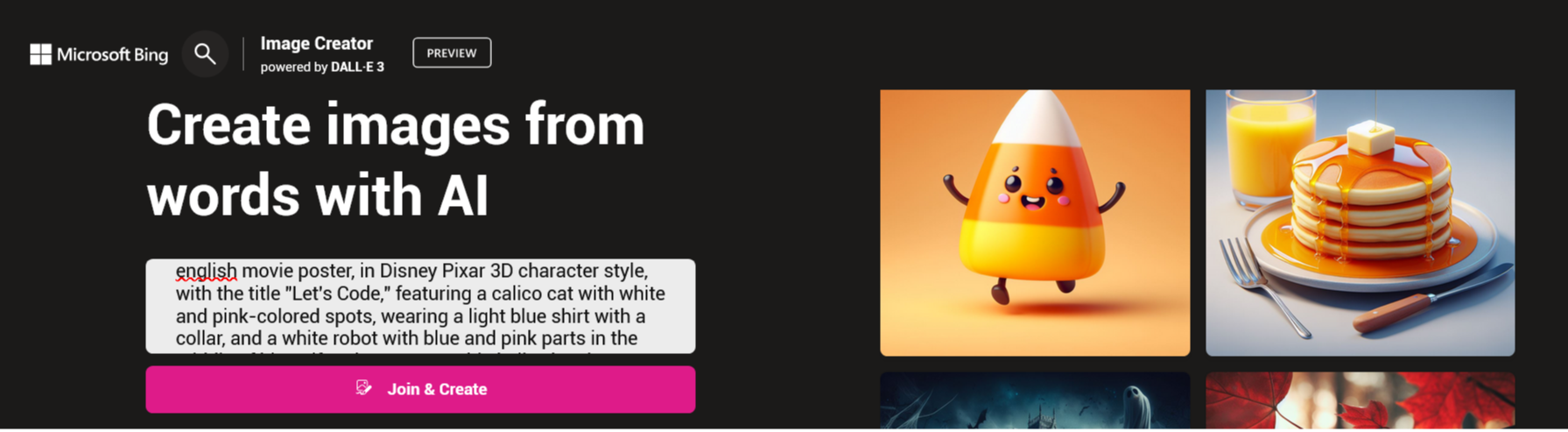
To start using Bing Image Creator, you'll first need to create a Microsoft account on
account.microsoft.com. From there, you can use Image Creator directly the Image Creator website
https://bing.com/images/create. You can access it from your desktop or mobile browser.
Step 1: Access Bing Image Creator & Provide The Perfect Prompt
On the Image Creator website, simply type a description of the image you want. It doesn't have to be long, but the more descriptive the prompt, the better the result. Microsoft recommends using "adjectives, locations, even specific styles.
To get the Disney Pixar look you desire, craft a detailed prompt with this format:
english movie poster, in Disney Pixar 3D character style, with the title "[your title]," featuring a character that is [character physical description], set against [your desired background], and posed in [your desired pose].
For example:
Step 3: Generate the Image
Click on the "Create" button to generate your Disney Pixar-style poster.
Step 4: Explore Your Results
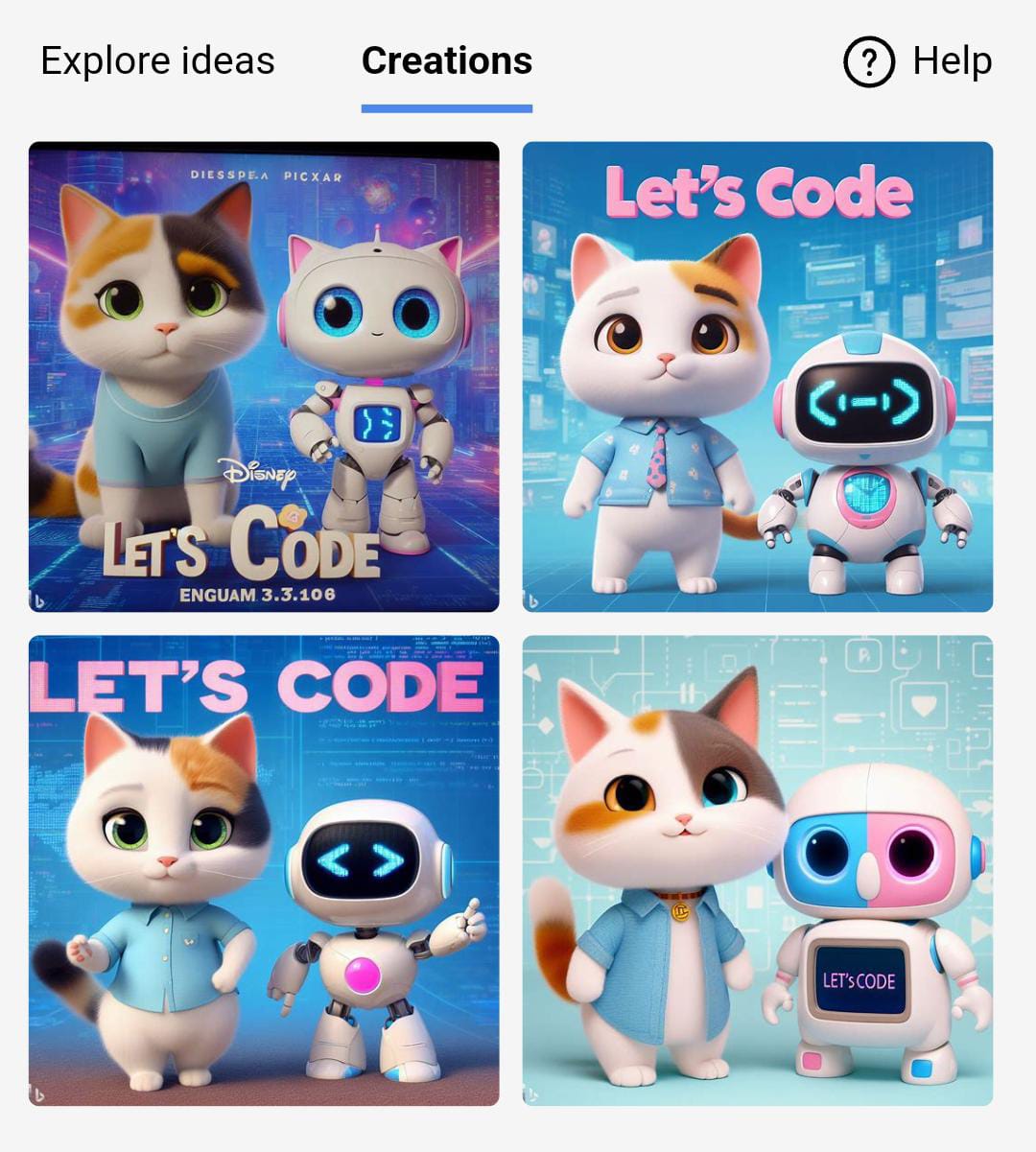
You will now see the AI-generated pictures. More often than not, the result will closely resemble your prompt. However, if you're not satisfied with the outcome, you have a total of 15 chances to refine and regenerate your AI pictures. Don't hesitate to unleash your creativity and create posters that don't exist yet!
Step 5: Share Your CreationsOnce you've created your Disney Pixar-style posters, we'd love to see your results! Please post your creations in the
Community section.
Enjoy creating your Disney Pixar-style posters, and let your imagination run wild!